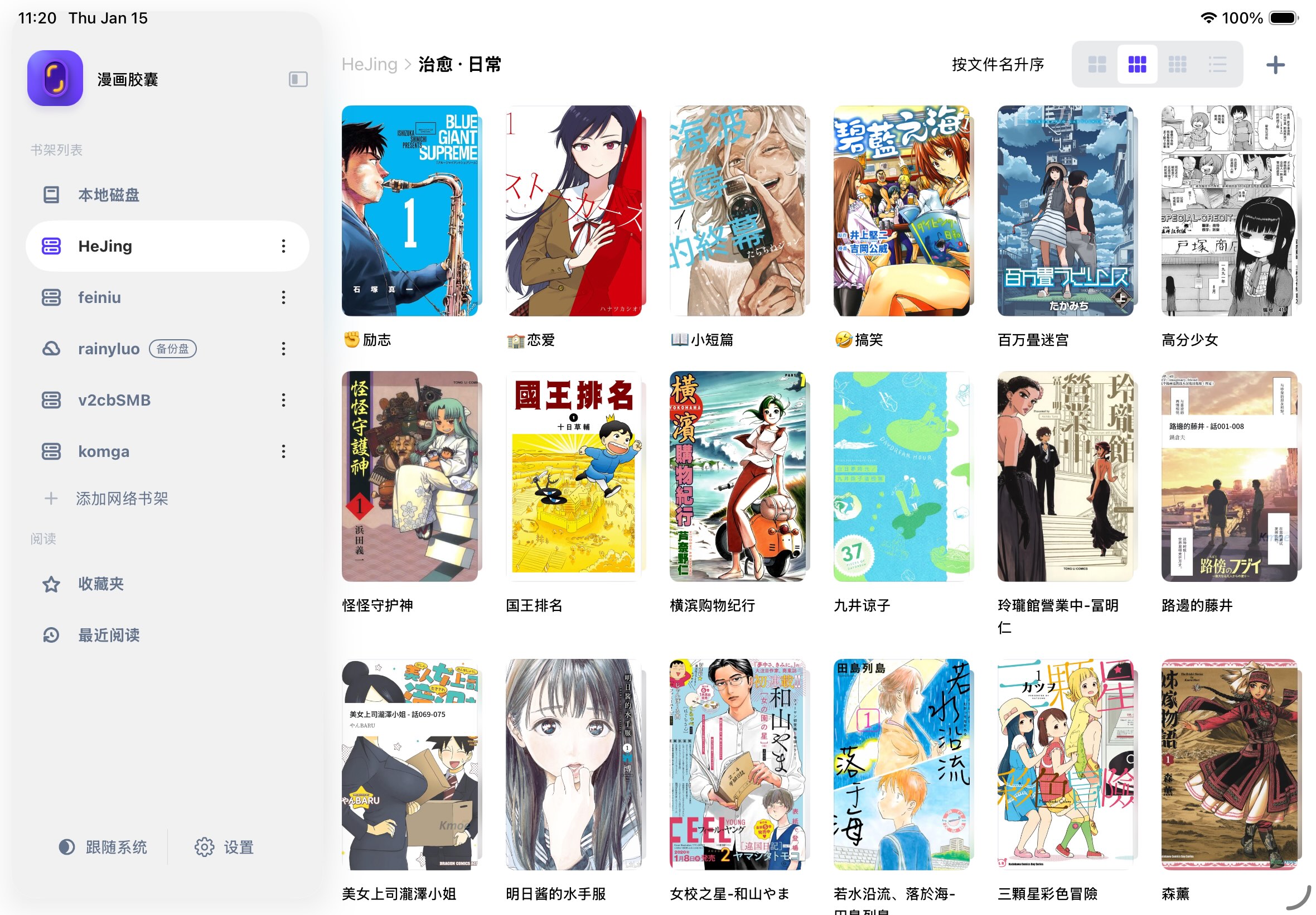
Best iOS Manga Reader for PDF Webtoons: Vertical Manga Experience Review (2026)

Best iOS Manga Reader for PDF Webtoons: Vertical Manga Experience Review (2026)
Webtoons and Chinese vertical manga have been exploding in popularity. The Beginning After the End, Solo Leveling, Omniscient Reader's Viewpoint, The Hidden Dungeon — these works share one thing in common: they're drawn vertically.
What does drawing vertically mean? It means traditional manga readers (horizontal page turns, left→right or right→left) are an absolute disaster for webtoons — images get squashed, huge black bars appear at top and bottom, page-turn logic breaks down, and scrolling stutters.
Even more frustrating, many webtoon resources come in PDF format — scanned double-page PDFs, entire volume exports, or long-image PDFs scraped from online reading platforms. iOS's native Books and Files apps either display these PDFs at completely wrong ratios or lag for seconds every time you turn a page.
If you mainly read PDF webtoons, this article is for you.
Three Pain Points of Reading Webtoons in PDF
Before diving into the comparison, let's clearly define the problem. PDF webtoons have three issues that almost no general-purpose reader handles well:
Pain Point 1: Aspect Ratio Mismatch
PDF pages are typically A4 or Letter ratio (wider than tall), but webtoons have extreme vertical ratios. Scaling to fit width leaves huge blank spaces at top and bottom; fitting to height makes the image blurry.
Required feature: Automatic white margin cropping, intelligent width fitting.
Pain Point 2: Scanned Double-Page Splitting
Many PDF webtoons are scanned — one PDF page contains two manga pages (dual-page scan). This is barely tolerable on iPad in landscape, but completely unreadable on iPhone.
Required feature: Intelligent page splitting, automatically separating double-page scans into individual pages.
Pain Point 3: Discontinuous Scrolling
The correct way to read webtoons is continuous vertical scrolling, not horizontal page turns. PDF files are paginated, and if the reader turns pages one by one, it pauses at the bottom of each page, completely breaking the reading rhythm.
Required feature: Continuous scroll mode (scroll mode), seamless page transitions.
Contestants
I tested 5 representative manga/reading apps on iOS, focusing specifically on the need to read PDF webtoons:
| App | Why I Picked It |
|---|---|
| 漫画胶囊 | Specializes in vertical manga optimization with intelligent page splitting |
| 可达漫画 | Long-established iOS manga reader |
| Panels | Most popular manga reader overseas |
| Apple Books | iOS built-in, most basic PDF reading |
| PDF Expert | Professional PDF reader representative |
Dimension One: Webtoon Mode (Continuous Scroll)
This is the core requirement for reading webtoons.
| App | Continuous Scroll | Scroll Smoothness | Page Transition | Notes |
|---|---|---|---|---|
| 漫画胶囊 | ✅ | ⭐⭐⭐⭐⭐ | Seamless | Native webtoon mode, auto-detection |
| 可达漫画 | 🟡 | ⭐⭐⭐ | Pauses | Supports vertical scroll but with gaps between pages |
| Panels | 🟡 | ⭐⭐⭐⭐ | Pauses | Has vertical scroll but not optimized for webtoons |
| Apple Books | ❌ | — | — | Page turns only, no scroll mode |
| PDF Expert | 🟡 | ⭐⭐⭐⭐ | Pauses | PDF continuous scroll but not optimized for manga |
漫画胶囊 performs best in webtoon mode — instead of making continuous scroll between PDF pages, it "stitches" each PDF page into one continuous strip during rendering, so you can't feel any page boundaries while scrolling. This is a much better experience than simple "PDF continuous scroll."
Plus, 漫画胶囊 automatically detects webtoons and switches to the appropriate display mode — no manual adjustment needed.
Dimension Two: Intelligent Page Splitting
Scanned PDFs with two manga pages per page are torture on iPhone.
| App | Intelligent Split | Operation | Effect |
|---|---|---|---|
| 漫画胶囊 | ✅ | One-tap split in reader | Auto-detects double-page split line, precise separation |
| 可达漫画 | ✅ | — | Can split, but settings are cumbersome |
| Panels | ❌ | — | Can zoom, but can't split |
| Apple Books | ❌ | — | Can only view shrunk full page |
| PDF Expert | ❌ | — | Can crop, but requires manual page-by-page operation |
Intelligent page splitting is a binary "have it or don't" issue, not a quality question. Only 漫画胶囊 has this feature among the 5 apps. If you frequently read scanned double-page PDFs, this feature directly determines whether you can read comfortably on your phone.
漫画胶囊's splitting logic automatically detects the vertical split line in the middle of PDF pages, with very high accuracy for standard double-page scans. After splitting, the left and right pages display independently, and in webtoon mode they automatically stitch back into a continuous reading flow.
Dimension Three: Automatic White Margin Cropping
PDF pages usually have lots of white space around the edges; not cropping it wastes screen real estate.
| App | Auto Crop | Effect |
|---|---|---|
| 漫画胶囊 | ✅ Auto | Intelligent page-by-page detection, removes surrounding blanks |
| 可达漫画 | ✅ Auto | Decent effect |
| Panels | ✅ Auto | Average effect, sometimes over-crops |
| Apple Books | ❌ | — |
| PDF Expert | 🟡 Manual | Has cropping tool but requires page-by-page operation |
漫画胶囊's automatic white margin cropping is calculated page-by-page — each PDF page may have different margin ranges, so it detects and crops independently, avoiding the "one-size-fits-all" problem where some pages get over-cropped. For webtoons, cropping top and bottom margins can display 15%-20% more image, especially noticeable on iPhone.
Dimension Four: PDF Loading Speed
Manga PDFs are often huge — hundreds of MB or even GB. Loading speed directly affects whether you "want to open it to read."
| App | Open Speed | Page Turn/Scroll Speed | How It Works |
|---|---|---|---|
| 漫画胶囊 | ⚡ 2-3 seconds | ⚡ Real-time | Streaming load, only reads current page |
| 可达漫画 | 🐢 10-20 seconds | 🟡 Acceptable | Must fully download before opening |
| Panels | 🐢 30+ seconds | 🟡 Acceptable | Must fully download |
| Apple Books | ⚡ Fast | 🟡 Acceptable | System-level optimization, but feature-poor |
| PDF Expert | ⚡ Fast | ⚡ Smooth | Professional PDF engine, but not suitable for manga reading |
漫画胶囊's advantage here again comes from its streaming reading architecture — it only reads the pages you're currently viewing, instead of loading the entire PDF into memory. A 500MB PDF webtoon collection opens at roughly the same speed as other apps opening a 5MB file.
Dimension Five: Display Ratio Adaptation
PDF webtoons from different sources have wildly different ratios. A good reader should adapt automatically.
| App | Auto Fit | Manual Adjustment | Webtoon Ratio Preset |
|---|---|---|---|
| 漫画胶囊 | ✅ Auto-detects webtoon ratio | ✅ Supported | ✅ Webtoon-specific mode |
| 可达漫画 | 🟡 Basic fit | ✅ Supported | ❌ |
| Panels | 🟡 Basic fit | ✅ Supported | ❌ |
| Apple Books | ❌ | ❌ | ❌ |
| PDF Expert | 🟡 Basic fit | ✅ Supported | ❌ |
漫画胶囊 detects the PDF page's aspect ratio — if it finds an extremely vertical ratio (webtoon characteristic), it automatically switches to webtoon display logic: fit to screen width, remove inter-page margins, enable continuous scroll. If you don't want auto-switching, you can change it to manual in settings.
Final Verdict
| Comparison Dimension | 🥇 漫画胶囊 | 🥈 可达漫画 | 🥉 Panels | Apple Books | PDF Expert |
|---|---|---|---|---|---|
| Webtoon/Continuous Scroll | ✅ Native | 🟡 Usable | 🟡 Usable | ❌ | 🟡 Usable |
| Intelligent Page Split | ✅ | ❌ | ❌ | ❌ | ❌ |
| Auto White Margin Crop | ✅ Page-by-page | 🟡 Manual | 🟡 Average | ❌ | 🟡 Manual |
| PDF Large File Loading | ⚡ Streaming | 🐢 Needs download | 🐢 Needs download | ⚡ | ⚡ |
| Webtoon Ratio Fit | ✅ Auto | 🟡 Basic | 🟡 Basic | ❌ | 🟡 Basic |
| Webtoon Overall Score | ⭐⭐⭐⭐⭐ | ⭐⭐⭐ | ⭐⭐⭐ | ⭐ | ⭐⭐ |
Which User Should Choose What?
Choose 漫画胶囊 if you:
- Mainly read PDF-format Korean/Chinese webtoons
- Frequently encounter scanned double-page PDFs that need splitting on your phone
- Have a manga library of hundreds of GB and don't want to download every time
- Want "open and read without tweaking settings" experience
Choose 可达漫画 if you:
- Mainly read traditional manga (horizontal page turns), only occasionally read webtoons
- Don't mind manually adjusting cropping and display ratio
- Have no special requirements for interface design
Choose PDF Expert if you:
- Reading manga is secondary, mainly use it for documents
- Are willing to accept the tedious manual page-by-page adjustments
Final Thoughts
PDF-format webtoons are a very niche demand, but behind this demand are real user pain points — aspect ratio mismatch, double-page splitting, loading lag. Most general-purpose readers don't optimize specifically for this scenario because the user base isn't large enough.
But 漫画胶囊 did. Two reasons: first, we're webtoon readers ourselves (the kind who follow The Beginning After the End to chapter 387), and second, these features — intelligent page splitting, automatic white margin cropping, webtoon mode — happen to align perfectly with our product philosophy of "letting manga be manga."
If you're also looking for an iOS app that can properly read PDF webtoons, give it a try.