iPad Comic Reader Comparison: Manga Capsule, Panels, Keda, ComicGlass and iComics

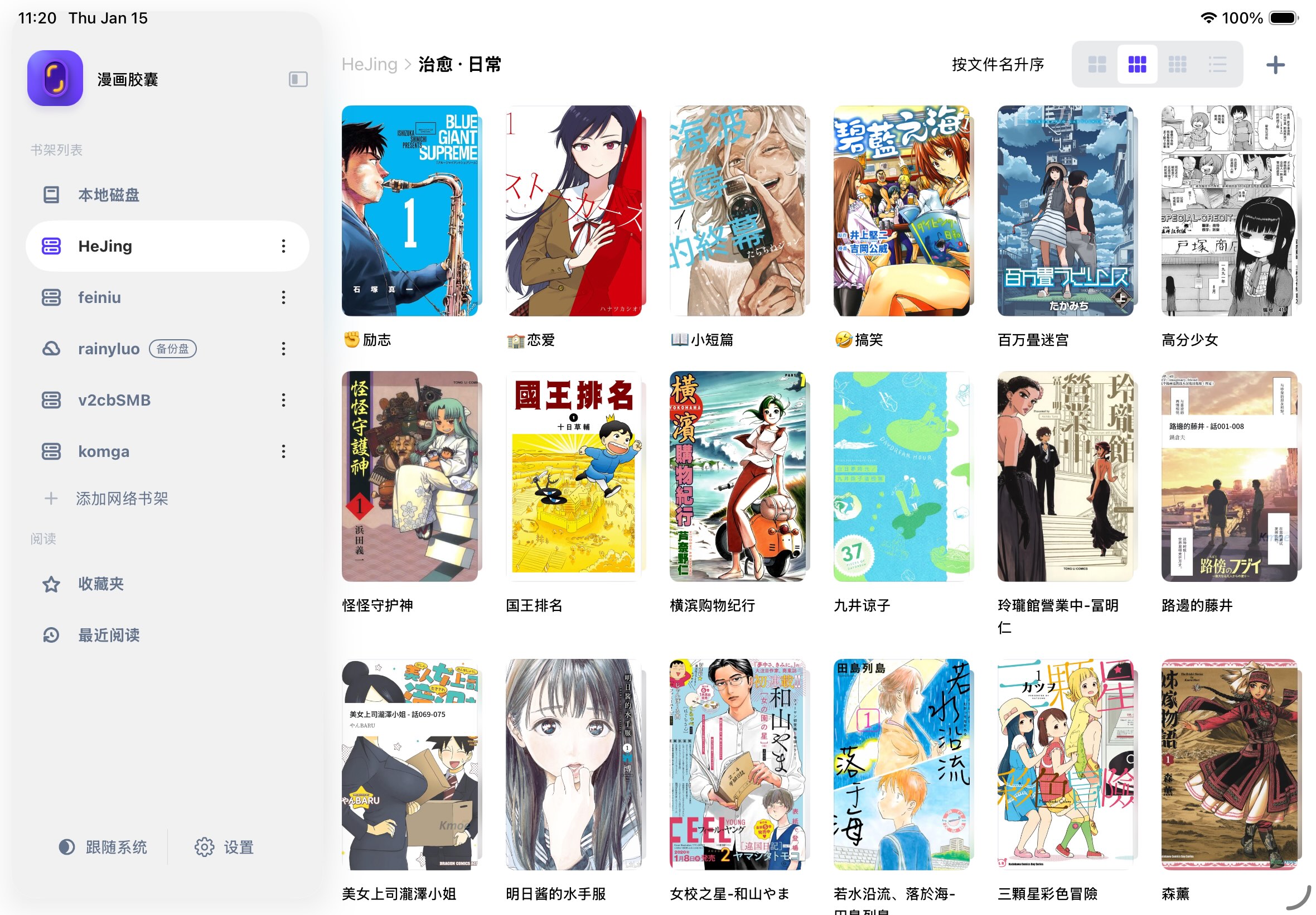
Choosing an iPad comic reader starts with your library: a few local CBZ files, a folder on a NAS, or a managed Komga catalog each calls for a different workflow. Manga Capsule, Panels, Keda, ComicGlass and iComics are all options worth considering. There is no useful universal winner without knowing your files and how you read.
Disclosure and evidence: This article is published by the Manga Capsule development team. Updated October 13, 2026, it compares documented capabilities in official websites, developer release notes and App Store listings, with Manga Capsule's current implementation checked for its import and connection workflow. We have not run a controlled performance test across these five apps. The recommendations below are our interpretation of those capabilities; they are not independent ratings or measured speed rankings. Check the linked sources and your local App Store before buying.
Start with the way you keep your comics
| Your library or priority | Readers to investigate first | What to check before choosing |
|---|---|---|
| Local CBZ/CBR volumes on iPhone or iPad | Any of these five; iComics emphasizes file importing | Page order, reading direction, offline storage and large-image handling |
| Plain folders on a NAS | Manga Capsule, Keda, ComicGlass | Exact protocol, file format and whether a full download is required |
| Komga or another OPDS library | Panels or Manga Capsule | Catalog compatibility, streaming versus downloading, and progress behavior |
| iCloud and multiple Apple devices | Panels; Manga Capsule for an iCloud folder workflow | File availability and progress sync are separate questions |
| Low-resolution pages or long vertical comics | Manga Capsule; Panels for reading modes and image filters | Inspect a few real pages on your own device |
Manga Capsule: folders, network shelves and manga reading controls
Manga Capsule reads your own files; it does not supply a manga subscription catalog. Its import flow accepts CBZ/ZIP, CBR/RAR, PDF, EPUB, MOBI and AZW3, plus supported images. The network shelf menu offers SMB, WebDAV and OPDS(Komga), alongside iCloud Drive and Dropbox.
For compatible CBZ/ZIP files and servers, it can fetch page data as you read. CBR/RAR follows a download-first path and then needs extraction. Mounted iCloud files also download before reading; some PDF sources or protected PDFs require downloading. Streaming uses a local cache, and opening time depends on the archive, server and connection. A large remote library is not a promise of zero storage use or instant opening for every file.
Reading controls include reading direction, spreads, margin cropping and vertical layouts. On-device image enhancement is another reason to try it with older scans, but results depend on the source image and device; clearer-looking lines do not guarantee recovered original detail.
Consider it if: you want a reader built around your own manga folders, NAS access and image controls. Check first: your actual archive formats and the paid features shown in the app. Free local reading allows five books per week; network shelves and streaming are Pro features. A native Google Drive connection is not currently offered in the network shelf menu; download a file through its provider and use Import File instead.
Manga Capsule on the App Store · Local comic reader guide · NAS setup tutorial
Panels: OPDS libraries and an Apple-device workflow
Panels' official site documents CBR, CBZ, 7z, PDF and comic EPUB, configurable layouts, panel navigation, reading-session sync and iCloud libraries. It also describes OPDS streaming with servers such as Komga or Kavita. Its import guide includes SMB and cloud services; importing from a server and streaming through OPDS are different paths.
Consider it if: you already run an OPDS library or value panel navigation and the Apple-device library workflow. Check first: server support and Premium requirements for the particular feature you need. Confirm separately how files and reading progress reach your second device.
Keda: another NAS-capable reader
Keda's official site explicitly describes SMB/WebDAV connections and streaming. Its developer changelog also documents EPUB, PDF streaming and additional cloud connections. It should not be described as a local-only app or a reader that always downloads an entire comic first.
Consider it if: you want another option for a NAS collection. Check first: availability and interface language in your storefront, plus behavior with your own archives. Documentation alone cannot establish which app feels faster or easier to use.
ComicGlass: archive reading and file-share streaming
ComicGlass' official English site documents ZIP/RAR/PDF, CBZ/CBR and 7ZIP, spread controls, margin cutting and streaming from cloud storage or file shares. It also provides a desktop transfer tool. Its site is available in English and multiple other languages.
Consider it if: you want its archive and page-display tools or an established desktop-transfer workflow. Check first: the connection and streaming options you need in its current documentation and purchase screen. The older claim on this blog that ComicGlass had no NAS or streaming capability was incorrect.
iComics: importing and organizing a local collection
The official iComics App Store listing documents CBZ/CBR, EPUB, PDF and other archives, imports from a computer or other apps, collections, reading direction and wide-page splitting. Its release history includes WiFi import and dual-page display. The listing describes a paid download; we found no basis for the older claim that it was a free ad-supported reader.
Consider it if: your main workflow is transferring books into a local library. Check first: current device compatibility and the exact import route you use. The listed requirements can differ from older text in an app description. We have not verified a native NAS streaming workflow for it, so that capability remains unassessed here.
Compare your own books before paying
Try the same small set in your shortlisted readers: one ordinary CBZ, one CBR, one scanned PDF, and a volume with a spread or long vertical pages. Add a comic EPUB if you use that format. For NAS tests, use the same WiFi and server account, and compare first opening with repeat opening separately because cached data changes the result.
Check that page order is right, text is readable, reading direction persists, and reopening returns to your place. Download one volume and test it without a connection. Note what requires a purchase. If you measure opening time, record the app version, device, file size and format, server protocol and whether the cache was empty.
Manga Capsule is a reasonable shortlist choice for network shelves and manga-specific image controls. Panels is worth investigating for OPDS and its library workflow; Keda and ComicGlass are also credible network-reading options; iComics is worth examining for imported local collections. Your own files provide a better final answer than a star table that pretends untested differences are measurements.
For next steps, use the CBZ/CBR opening tutorial, the iPad manga reader guide, or the Komga connection guide.