
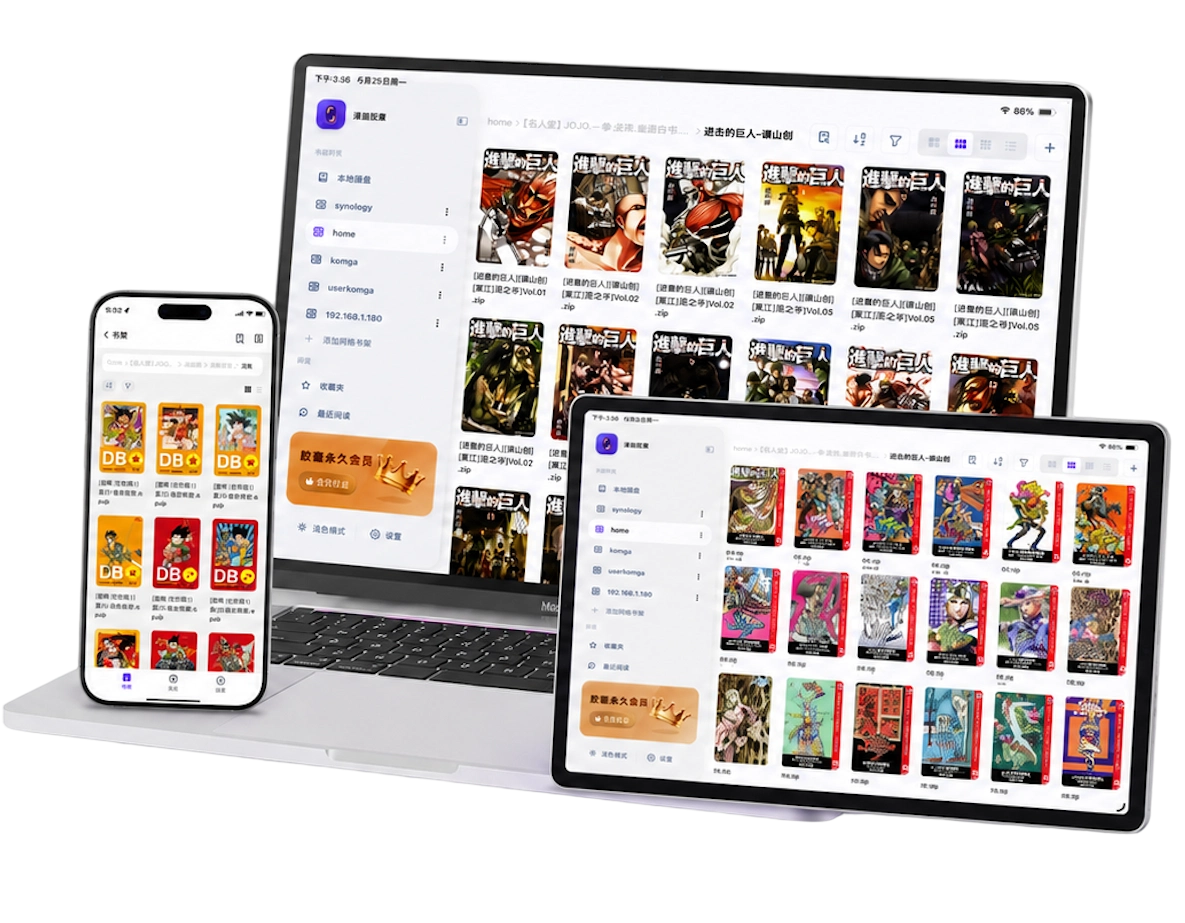
Why use a NAS for comics?
A NAS lets several devices reach one collection without keeping a full copy on every iPhone or iPad. It suits readers with many volumes, a home server already in use, or a library too large for their tablet.
Your folder structure can remain simple: one folder per series, with consistently numbered volumes inside it. A reader can browse that shared folder, show covers, and open the file you choose. Network reading trades device storage for connection time and cache; it does not use zero storage.
Keep a few books locally for travel. A NAS cannot serve pages when your iPad cannot reach it, and previously viewed pages are not a reliable offline copy of an entire book. If you mainly read a handful of titles on a commute, local comic reading may be the simpler starting point.
The NAS is also your library's main storage, so keep a separate backup of files you would not want to lose. Drive redundancy alone does not protect against deleting the wrong folder.
Choose SMB or WebDAV, then check the format
SMB is a good starting point on your home network. Enable file sharing on the NAS, create an account with access to the comic folder, and note its local IP address or hostname. In Manga Capsule, the connection uses the server address, credentials and selected share; the default SMB port is usually sufficient.
WebDAV uses an HTTP or HTTPS address. Enable the NAS's WebDAV service and note the complete service URL, configured port and account. Use HTTPS where your server supports it. WebDAV can also work through a secure remote connection; being HTTP-based does not by itself make a home NAS reachable from outside.
Neither protocol guarantees that every book streams. In Manga Capsule:
- Compatible ZIP/CBZ and EPUB can load remotely rather than transferring the entire book first.
- RAR/CBR downloads and extracts before reading, so a large archive needs time and local free space.
- NAS PDF can load remotely when the reader can parse it; encrypted or incompatible PDFs use a download-first path.
- Mounted iCloud files and PDFs on supported cloud drives download before reading. Their behavior differs from a direct NAS share.
Latency, compression, file structure and server support for partial reads affect opening and page turns. Test a typical book from your collection before assuming all files will behave alike. The remote reading guide covers these trade-offs.
Connect the NAS in Manga Capsule
Start with the iPad and NAS on the same home network. This makes it easier to separate a sharing problem from a remote-access problem.
- Prepare the share. Enable SMB or WebDAV and allow your NAS account to read the folder containing the comics.
- Add a shelf. In Manga Capsule, choose Add Network Shelf, then SMB or WebDAV. Enter a shelf name, server address and the required credentials. For WebDAV, include the service path and correct port.
- Select the root folder. Connect, browse to the share and comic directory, then save it. Pick the collection root rather than an individual volume.
- Test one book. Open a small CBZ first, then a representative PDF or CBR. Check opening, later pages, and reading direction.
- Prepare offline books separately. Download or import the titles you need, wait for completion, and verify them without networking.
If connection fails, check the server address, protocol, credentials and folder permissions in that order. A folder visible in the NAS's web interface is not proof that the same account can access it over SMB or WebDAV. The iPad NAS setup tutorial walks through the fields and troubleshooting.
For reading away from home, establish a secure route to the NAS, such as a VPN, and confirm the server address is reachable through it. Keep SMB inside your trusted network or VPN; avoid exposing it directly through public port forwarding.
When does Komga make more sense?
Choose direct SMB/WebDAV if you are happy browsing series folders and want to keep setup small. Choose Komga if you want a server to organize series metadata, manage users, and present a catalog instead of a file tree.
Manga Capsule's OPDS integration is designed for Komga. Add OPDS(Komga) from the network shelf menu, use the catalog address for your Komga server, and sign in with an authorized account. Check Komga's official OPDS guide for the endpoint supported by your server, and our Komga iOS client guide for the app setup.
Do not assume every OPDS server is interchangeable. Catalog formats and page-streaming extensions differ; a working Komga connection does not prove compatibility with another server. Likewise, Manga Capsule's network shelves and Komga's own library management serve different jobs.
Frequently asked questions
Is NAS reading available in the free version?
The free allowance covers local reading of 5 books per week. Network shelves, SMB/WebDAV, streaming and direct cloud access are Pro benefits. View the current plans and regional prices in the app.
Why does a CBR download even though the NAS is connected?
Manga Capsule downloads remote RAR/CBR files and extracts them locally before opening. That is different from the partial-reading path available to compatible CBZ files. Allow space for both the archive and extracted images.
Will the NAS library work in airplane mode?
Only books you have fully saved on the device. Cached covers or a few cached pages are insufficient. Reopen the book without networking before relying on it for a journey.
Do I need Komga to read a Synology, QNAP or other NAS?
No. A reachable SMB or WebDAV share is enough for the direct-folder approach. Komga is an optional library server. For screen and reading-mode choices, continue with the iPad comic reader guide.