How to Open CBZ and CBR Files on iPhone and iPad

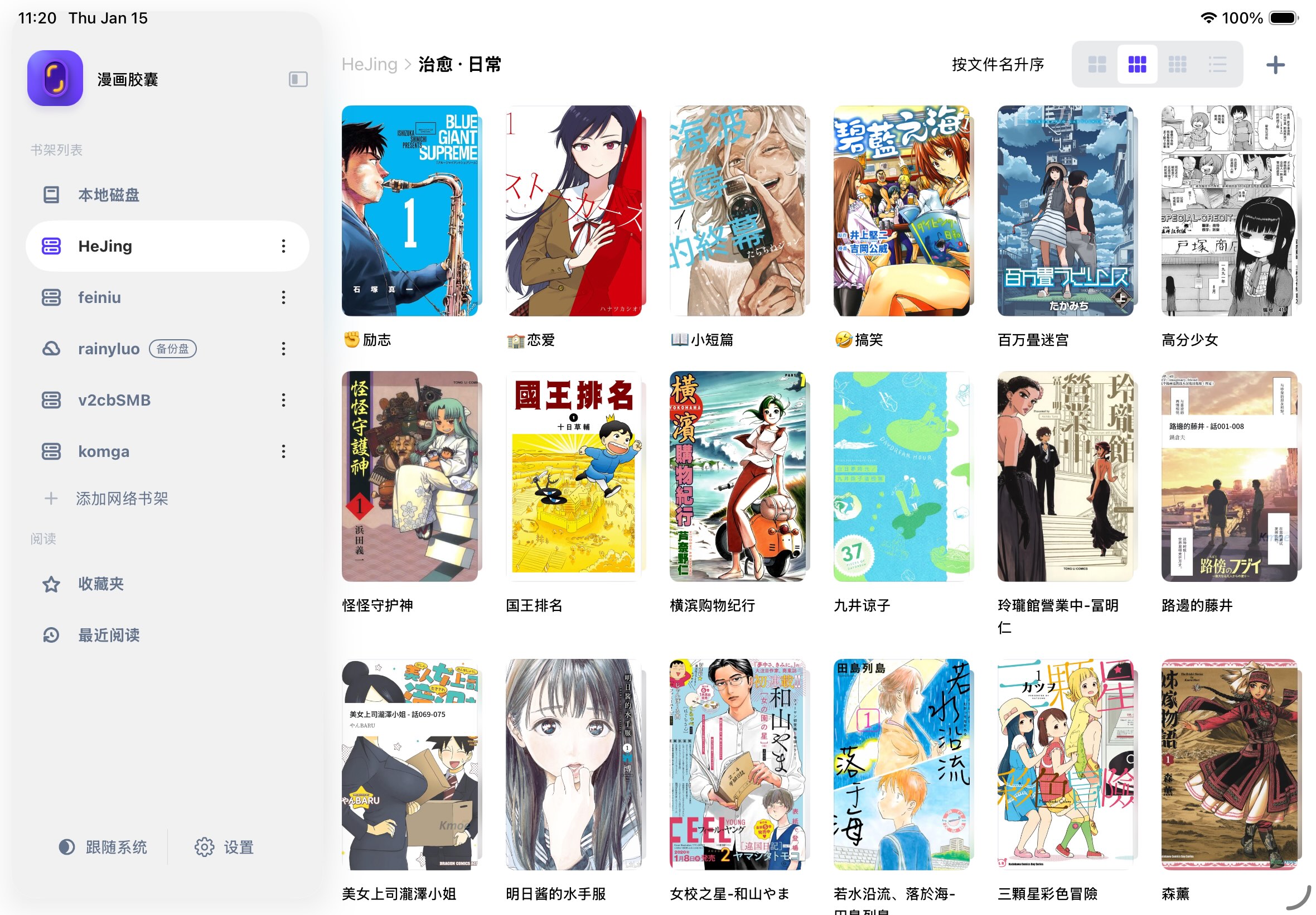
To open a CBZ or CBR on iPhone or iPad, install a comic reader that supports the format, then import the archive from Files. You do not normally need to convert it to PDF or extract the pages yourself. This guide uses Manga Capsule's Import File workflow and also explains computer transfer, offline reading and common errors.
Written by the Manga Capsule team and updated October 13, 2026. Import labels and format limits were checked against the app implementation; this is a setup guide, not a claim that every archive or cloud provider has been tested.
CBZ and CBR: the difference that matters
A CBZ is a ZIP archive of comic pages. A CBR is a RAR archive. The extension tells a comic reader to treat those images as a book. Changing .cbr to .cbz does not convert RAR data into ZIP data.
A reader gives you page order, reading direction, spreads and saved progress. Apple documents ZIP extraction in Files, which is useful for inspecting a ZIP but does not provide a comic library. Opening an archive in Files and reading it as a comic are different tasks.
| File | Manga Capsule workflow | Important limit |
|---|---|---|
| CBZ / ZIP with image pages | Import locally or open from a compatible network shelf | Remote partial reading depends on the server and archive |
| CBR / RAR with image pages | Import locally; a remote file downloads before reading and is extracted | Leave room for both the archive and extracted pages |
| Import or open from a supported source | Scanned-page image quality still depends on the original | |
| EPUB | Import a DRM-free comic EPUB | A reflowable text EPUB is a different reading use case |
| MOBI / AZW3 | Supported DRM-free comic files can use compatible sources | DRM-protected Kindle purchases are not unlocked by this app |
| 7z / CB7 | Not part of Manga Capsule's current supported import list | Use a compatible extraction tool and repack image pages as ZIP/CBZ |
Method 1: import a comic from Files
- Install Manga Capsule and open its bookshelf.
- If the comic is in an email, browser or another app, save it to Files first. A location such as On My iPad or iCloud Drive works; wait for any provider download to finish.
- In Manga Capsule, tap the bookshelf + button and choose Import File.
- In the system picker, browse to your
.cbzor.cbr, select it and confirm. You can select multiple supported files. - Wait for the import to finish, then tap the cover in your local bookshelf. A CBR may need additional time and space for extraction.
If you already have a folder of supported page images, choose Import Folder instead. For a comic supplied as several numbered volumes, keep them as separate books unless you intentionally want one long archive.
If an app exposes Manga Capsule in its Share/Open In sheet, that can be another import route. The in-app file picker is the fallback when that entry is absent.
Method 2: transfer from a computer over WiFi
- Put the computer and iPhone/iPad on the same local network.
- In the bookshelf + menu, choose WiFi Transfer and allow local network access if asked.
- Leave the transfer screen open. On the computer, visit the exact address displayed by the app.
- Upload your CBZ/CBR and wait for the transfer to complete before closing the page or leaving the app.
- Open the imported book on the local bookshelf.
If the address does not load, check the displayed address, local network permission and whether a guest WiFi isolates devices. For a USB alternative, see the local comic import guide.
Method 3: read files already stored on a NAS
Add an SMB or WebDAV network shelf, then browse to the book. Follow the iPad NAS setup tutorial for the address, account and folder steps.
A compatible CBZ/ZIP can load page data on demand. CBR/RAR downloads first and is extracted before reading. Mounted iCloud files and some PDF sources also require downloading. The compression layout, server behavior and network affect the result; a large remote book is not guaranteed to open immediately. Network reading still uses local cache space.
For a flight or an unreliable connection, select and download the volume to the local bookshelf in advance, then open it with WiFi and cellular data off. A remote shelf entry alone does not make a book available offline.
Make manga pages comfortable to read
Set right-to-left direction for manga that uses it, or left-to-right for a book that does not. Try a two-page view in landscape for paired pages, but use split-page display when a single image already contains a spread and becomes too small. Margin cropping can enlarge a page with a large white border; check that it does not hide content near the edge. Long vertical comics usually work better with vertical scrolling.
If a file will not open
| Symptom | What to check next |
|---|---|
| File is greyed out in the picker | Check the extension and whether your storage provider has made the file available locally |
| Corruption or extraction error | Compare its size with the source, redownload, and test the archive on a computer |
| CBR takes a long time | It needs download/extraction; check free storage and try a smaller complete volume |
| Pages are missing or out of order | Inspect the archive's image names and contents; padded names such as 001.jpg help avoid ambiguous ordering |
| Renaming the file did not fix it | Extension changes do not convert the archive; inspect or repack the actual contents |
| A multi-part archive fails | Obtain all parts and extract/repack it on a computer into one ordinary ZIP/CBZ |
| A protected file asks for a password or fails | Use the correct archive password where supported; DRM protection is a separate restriction |
When repacking a comic, copy the image pages into a ZIP using ordinary ZIP compression and name it .cbz. Keep the original until the new book opens correctly. Do not rename a PDF or RAR and expect the data to change.
For deeper troubleshooting, see file corruption checks. For an overview of file sources and layouts, see the CBZ/CBR reader guide and iPad reading guide.
Download Manga Capsule on the App Store. Free local reading allows five books per week; network shelves and streaming require Pro. The app shows monthly, yearly and lifetime options at your regional price.