How to Choose a NAS System? A Comprehensive Comparison of Four Major Systems

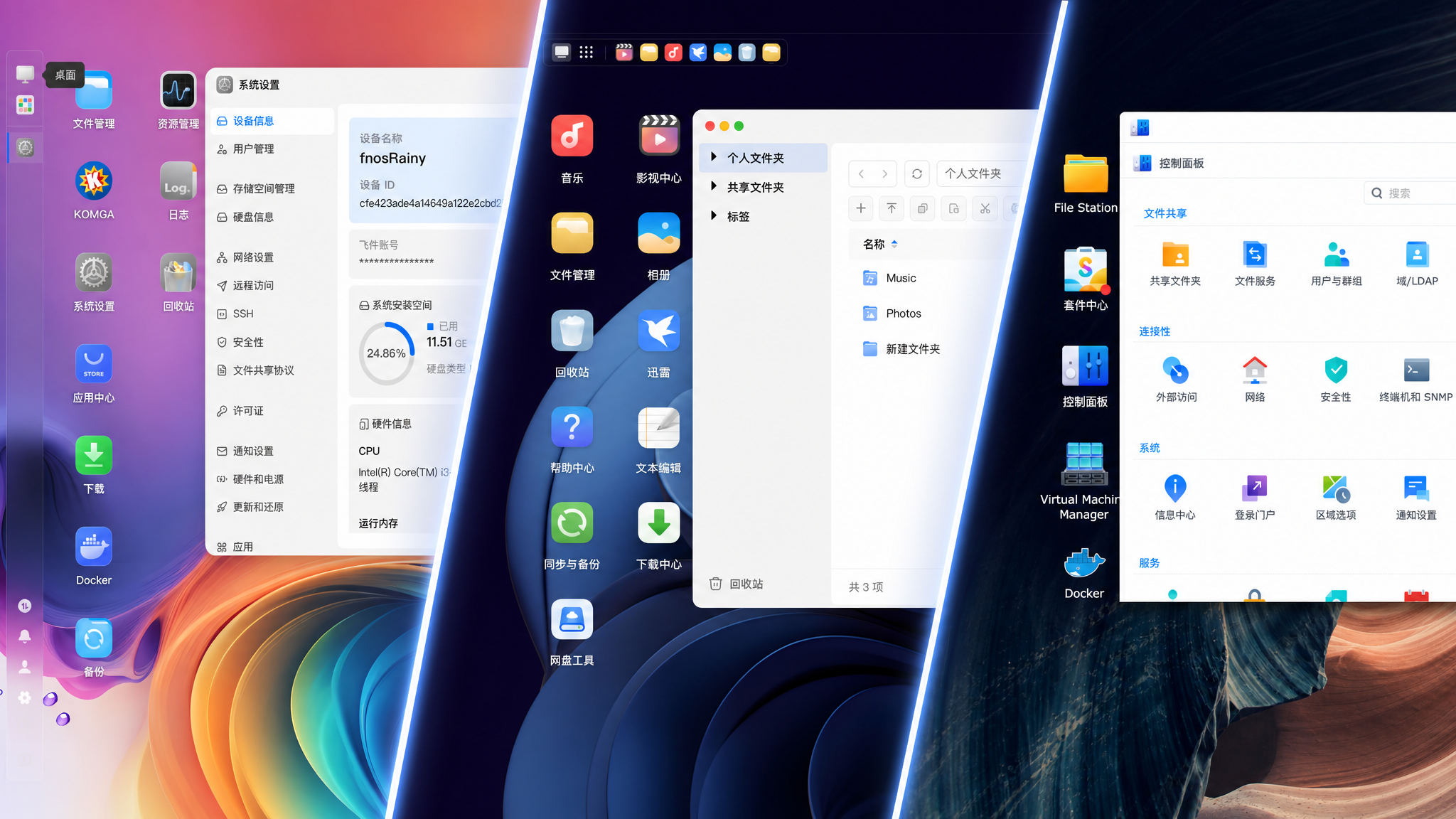
In the previous article, we discussed hardware selection. Now let's talk about which operating system to install. Unlike a desktop PC, choosing hardware for a NAS is only half the battle — the system you pick directly determines how smooth your daily experience will be. The NAS market in 2026 is incredibly vibrant, with domestic manufacturers pushing ease-of-use to new heights, and Synology is no longer the only option. This article covers the four most popular systems: Synology DSM, fnOS, QNAP ZOS, and UGREEN UGOS.
First, Let's Talk About Synology DSM
Synology is a veteran in the NAS industry, and DSM is an extremely feature-rich system — it has everything you could think of, and things you haven't even considered. File management, photo backups, video playback, remote downloads, surveillance recording... the Package Center offers hundreds of apps, comprehensive enough for both home and enterprise use, with a very international user experience. Initial setup takes some time to get familiar with, but once configured, daily use is smooth. Mobile apps are well-covered too, with dedicated apps for file management, photo sync, and video viewing.
External access is Synology's strong suit. Its QuickConnect feature lets you connect to your home NAS from anywhere without fiddling with network settings — just register an account and you're good to go. Speed isn't the fastest, but it's stable and reliable.
Pay close attention to processor differences when buying Synology. Synology models come in two types — those with Intel chips are called x86 models (e.g., DS224+, DS423+), while ARM chips are entry-level models (e.g., DS223j, DS124). The difference is significant: x86 models support Docker, letting you install various apps and services (including the manga service we'll mention later), offering much higher flexibility; ARM models are cheaper, more power-efficient, and quieter, but have limited Docker support — many programs may be incompatible, considerably reducing flexibility. If you plan to tinker with your NAS, definitely choose an x86 model — don't save money on an ARM model and regret it later.
Now for the drawbacks. Genuine Synology (white-label) is indeed expensive — the same specs cost significantly more than comparable domestic options, and the hardware is quite conservative, making the value proposition rather low.
In short: If you have the budget and want hassle-free stability, Synology x86 models offer the best experience. When buying, make sure to get an x86 processor and avoid ARM entry-level models.
A Quick Note About Black Synology
Black Synology refers to installing Synology's DSM system on self-assembled hardware. The biggest advantage is cost savings — spend a few hundred on a used mini PC, and you can experience nearly full Synology functionality. Plus, you can customize the hardware yourself: want more RAM? Install it. Want a 10GbE NIC? Add it. Maximum flexibility.
But Black Synology requires some technical know-how. You need to find boot files yourself, create a boot drive, handle various hardware compatibility issues, and system updates aren't a one-click affair like on genuine Synology — every major version update requires redoing the boot process. You also can't use official services like QuickConnect, so external access is entirely on you.
In short: If you enjoy hands-on tinkering and DIY, Black Synology is a fascinating option. But if you just want hassle-free manga storage without spending time on setup, go with a ready-made solution.
fnOS: Free and User-Friendly, Low Barrier to Entry
fnOS is a domestic NAS system that suddenly gained popularity in late 2024. Its core selling point can be summed up in three words: it's free. Completely free, no paid features, and updates are frequent.
Its biggest advantage is hardware flexibility. Many households have old PCs, laptops, or even $100 TV boxes lying around — just download the image, write it to a USB drive, and you can install it in about ten minutes. The system interface is beautifully designed, with operation logic similar to mobile apps. Even if you've never touched a NAS before, you can get started quickly by following the on-screen guides.
fnOS has excellent Docker support with a built-in easy-to-use management interface. You can install almost any app you want on your NAS — movie services, download tools, smart home, manga services... high flexibility. The mobile app is also well-designed, with files, albums, movies, and downloads all in one app — no need to switch between multiple apps.
For external access, fnOS includes free remote access functionality; the basic speed is sufficient for reading manga. You can pay for faster speeds if needed. If you have some technical skills, you can also configure an even faster solution.
Of course, fnOS isn't perfect. As a newer system, some basic features aren't fully developed, and it recently had a fairly serious security vulnerability. Fortunately, official updates are frequent, and you can fill gaps with open-source Docker solutions — basic functionality is covered.
In short: If you have spare hardware, a limited budget, and the technical know-how to install a system, fnOS offers the best value.
QNAP ZOS: Out-of-the-Box, Most Hassle-Free
QNAP is the domestic NAS brand that has taken "simple and easy to use" to the extreme. Their philosophy is to make you forget you're using a NAS — the experience feels more like an advanced cloud drive.
Every system operation is point-and-click; no code required. A single mobile app covers photo backups, video playback, file management, and remote downloads — even elderly family members and children can use it.
QNAP's built-in features focus on what Chinese users need most, and their media software is powerful and capable. QNAP Video — automatically organizes your movie collection into a poster wall, automatically matching actor info and synopses; looks great on TV. QNAP Photos — can automatically recognize faces and scenes in photos. Want to find "photos from the beach last summer"? Just search. It can also restore old photos, with all processing done locally on the device — no privacy concerns. QNAP Comics — for our manga library, it's simple and sufficient. Import comics, and it automatically matches covers and info, organizes them into categories, and you can start reading right away — no extra setup needed.
External access is also QNAP's strength. Their built-in remote access is completely free and very fast; reading manga outside feels just like being at home.
QNAP has limitations too. It's a relatively closed system — you can only use their official hardware, no DIY. If you want to install apps beyond what's built-in, you're limited to Docker, which has some restrictions — not as flexible as fnOS or UGREEN. Also, initial activation requires internet connection and phone number binding.
In short: If you don't want to tinker and want out-of-the-box convenience, especially for heavy manga and media users, QNAP is the most hassle-free choice.
UGREEN UGOS: Solid Hardware, High Value
UGREEN previously made various high-value hardware accessories, and their NAS follows the same "high specs, low price" approach. At similar price points, UGREEN offers more generous hardware than Synology, but you need to pay attention to the processor — preferably choose x86 (Intel), not ARM (Rockchip).
On the system side, UGREEN's earlier versions were indeed not great. But the new UGOS Pro is a complete rewrite with significant improvements — a clean interface and smooth operation. Core features like file management, photo backups, downloads, and media playback are basically complete, with built-in support for domestic services like Baidu Netdisk and Thunder — very convenient to use.
Docker support is also solid; you can deploy almost any app you want with high flexibility. The mobile app is also good, with one app covering all functions.
UGREEN's current shortcomings are mainly two-fold: First, the system is still maturing, occasionally having minor issues, with features continuously improving. Second, the built-in remote access speed is average — the experience outside isn't as smooth as QNAP.
In short: If you value hardware specs and value for money, enjoy tinkering with app installations, and can accept a system that's still improving, UGREEN is worth considering.
Back to Manga Reading Scenarios, How to Choose?
NAS system support for manga reading ultimately comes down to three aspects:
Connection Method: When your manga reader connects to the NAS, it uses file sharing. All four systems support this well — just enter the address in your reader and you're connected, as simple as opening a local folder.
External Access: If you want to browse manga anywhere, this is crucial. QNAP's free remote access is fastest with the best experience; Synology's QuickConnect is most stable, but servers don't seem to be in mainland China, making it somewhat slow; Black Synology requires more setup; fnOS's free tier is sufficient for reading manga; UGREEN's built-in remote access is slightly slower.
Manga Management: QNAP has built-in QNAP Comics — import manga, automatically match covers, organize by category, and start reading immediately — most hassle-free. fnOS and UGREEN can install manga services via Docker with more features but requiring some setup time. Synology can also self-install but doesn't have a built-in manga app.
Final Recommendations
| If you... | Choose this |
|---|---|
| Have sufficient budget, want comprehensive stability, willing to pay for ecosystem | Genuine Synology DSM |
| Have spare hardware, budget-conscious, enjoy DIY work | fnOS |
| Don't want to tinker, want out-of-the-box, heavy manga/media user | QNAP ZOS |
| Value hardware value for money, love Docker, can accept imperfect systems | UGREEN UGOS |
No matter which you choose, manga readers connect to NAS using SMB or WebDAV protocols — all these systems support them well. The system is just a tool; the goal is enjoying your manga.
Next issue, we'll talk about how to plan your directory structure after getting your NAS and how to organize your manga files. Follow along if you're interested.
Well, since you made it this far, if you think this is good, feel free to like, share, and retweet. If you want to get updatesas soon as they are published, you can also give me a star⭐~ Thanks for reading my article. See you next time.
/ Author: 卡兹克 / For submissions or tips, contact: wzglyay@virxact.com