What is NAS? A Beginner's Guide

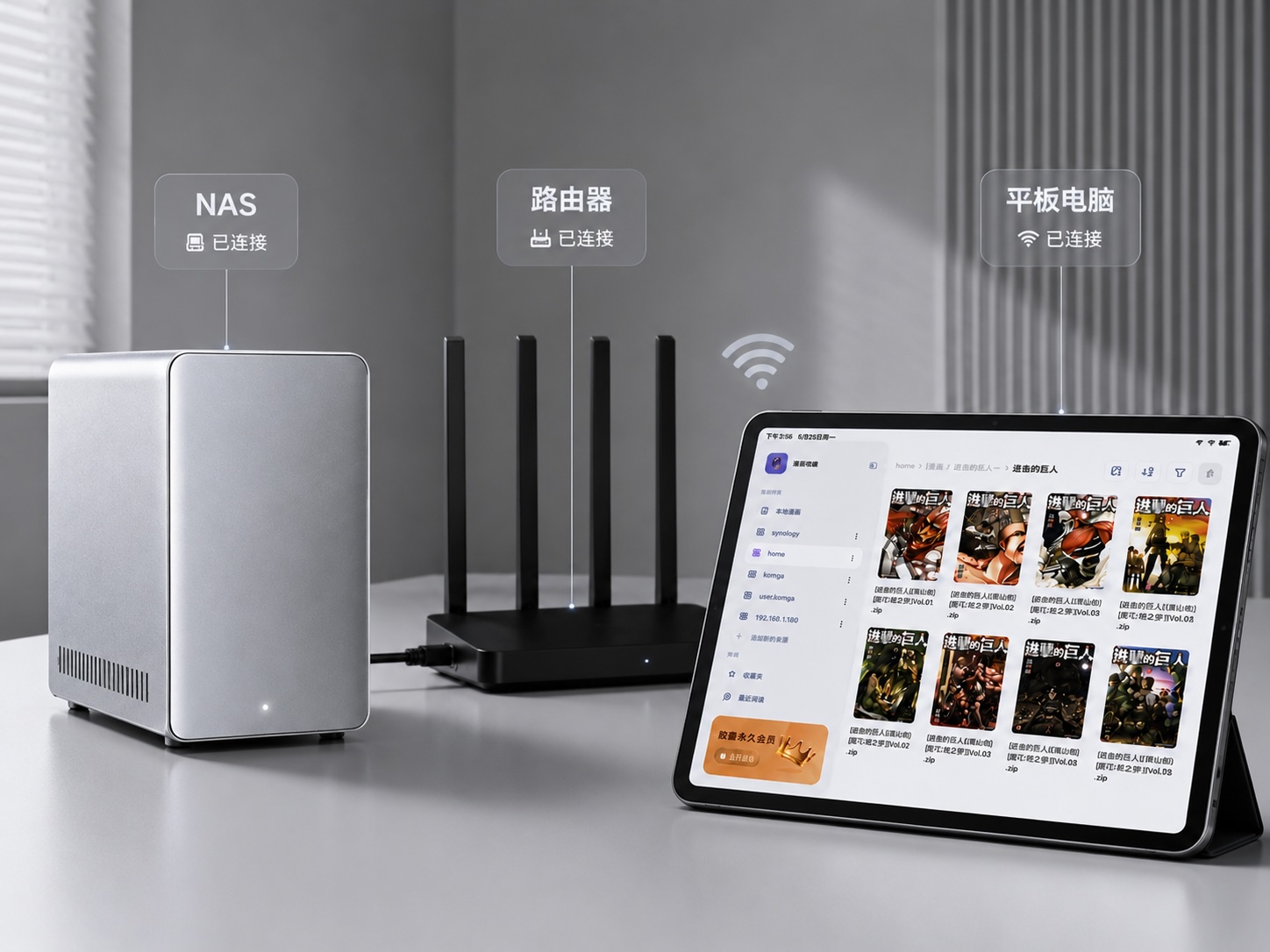
Many readers already have some understanding of NAS, but it remains a relatively niche concept, and those encountering it for the first time might feel a bit lost. So let's start with the basics: what exactly is NAS?
NAS stands for Network Attached Storage. The name is a bit of a mouthful, but breaking it down makes it simple.
You have a computer with files stored on its hard drive. That's local storage.
You remove the hard drive, put it in a box, connect that box to your router via network, and all devices can access any content stored within. That's NAS.
At its core, that's exactly what it is: a small computer specifically designed for file storage, running 24/7, enabling all devices on your local network to read and write data.
So what can NAS do?
There's really only one core use: centralized file storage. All files stored in one place, accessible directly from your phone, iPad, computer, or TV. No need to transfer files between devices, no need to keep a computer powered on for sharing, no need to copy with USB drives. Simply put, it's building a "private cloud drive" at home.
Specifically for everyday scenarios, there are mainly these categories:
File sharing and synchronization — this is the most basic. Store documents, photos, movies, and comics on NAS, and you can access them anytime, anywhere. Compared to cloud drives, the advantage is that speed depends only on your local network; with gigabit networks, file copying can reach 100MB per second, so you don't have to endure Baidu Cloud's agonizingly slow speeds of just a few KB/s.
Data backup — for many people, this is actually a must-have. Phone photos automatically back up to NAS, important computer files are backed up on a schedule, so you never have to worry about losing all your data due to lost or damaged devices. NAS itself can also perform single-machine backup, storing the same data on 2 hard drives automatically, keeping 2 copies. If one hard drive fails, your data is still safe. If you want extra peace of mind, particularly important data can have an additional off-site backup, making it even more secure.
Media server — store movies, TV shows, and music on NAS, and with software like Jellyfin or Plex, you can build your own audio and video streaming platform. Play movies from NAS directly on your TV, listen to music from NAS on your phone anytime — the experience is similar to using Netflix, except the content is your own.
Download machine — NAS can run downloads 24/7. Let it download while you're at work, and you can watch directly when you get home. This uses far less power than keeping a computer on for downloads; a NAS typically consumes only about 10 to 40 watts. My NAS has all the HD versions of Douban Top250, ready to rewatch anytime~
And then there's our topic: manga library. Store manga on NAS, and manga readers on iPad can access the NAS data via SMB or WebDAV, opening files directly to read. No phone storage used, no waiting for downloads, and reading progress is shared across all devices.
So essentially, NAS solves a very straightforward problem: freeing your data from being tied to any single device. Your files no longer belong to a particular phone or computer, but to your own network, accessible anytime on any device.
So what are your options for NAS?
Broadly speaking, there are three categories. The first is pre-built NAS, like the finished systems from brands such as Synology, QNAP, or Green Union. Just buy it, plug in the hard drives, and it's ready to use. The advantage is peace of mind — the system is pre-installed, there's after-sales support, suitable for users who don't want to tinker.
The second is DIY NAS: you buy the hardware yourself and assemble it, then install systems like fnOS, Unraid, or TrueNAS. The advantage is better value for money, flexible configuration, and you can upgrade whatever you want. The disadvantage is that it requires time to set up, and you'll need to troubleshoot any issues yourself.
The third is cloud NAS, which is essentially a cloud server with a mounted hard drive, like Aliyun Drive or Baidu Cloud, without needing to buy any hardware yourself. The advantage is zero cost to get started, accessible from any device. The disadvantage is that speed and capacity are limited by your network and subscription; large file read/write experience is generally poor, and since the data isn't in your hands, there are privacy and security concerns.
For the manga library scenario, my personal suggestion is: if your budget allows, prioritize pre-built NAS or DIY NAS, and keep your data in your own hands. Cloud drives can be used as a supplement for file transfer or cold storage, but shouldn't be used as your main manga library. After all, uploading and downloading hundreds of GB of manga is too slow, and if the service provider changes their policies one day, you might lose all the resources you've spent years collecting.
Starting from the next issue, let's get into some practical stuff: after your NAS arrives, what's the first thing you should do? How to initialize it, how to create shared folders, how to configure it so your manga reader can connect. If you want to see that, feel free to follow.
Well, since you made it this far, if you think this was helpful, feel free to like, share, or bookmark. If you want to get notificationsas soon as they are published, you can also give me a star⭐~ Thanks for reading my article. Until next time.
/ Author: 卡兹克 / For submissions or tips, contact: wzglyay@virxact.com